
The DIY Trap: Why a Custom "Upload Your ID" Modal Is Riskier Than You Think
Building your own ID upload popup into checkout feels like a smart, cheap fix for AB 1263. But collecting a file is not the same as verifying an identity, and the gaps show up in security, mobile conversions and your audit trail.

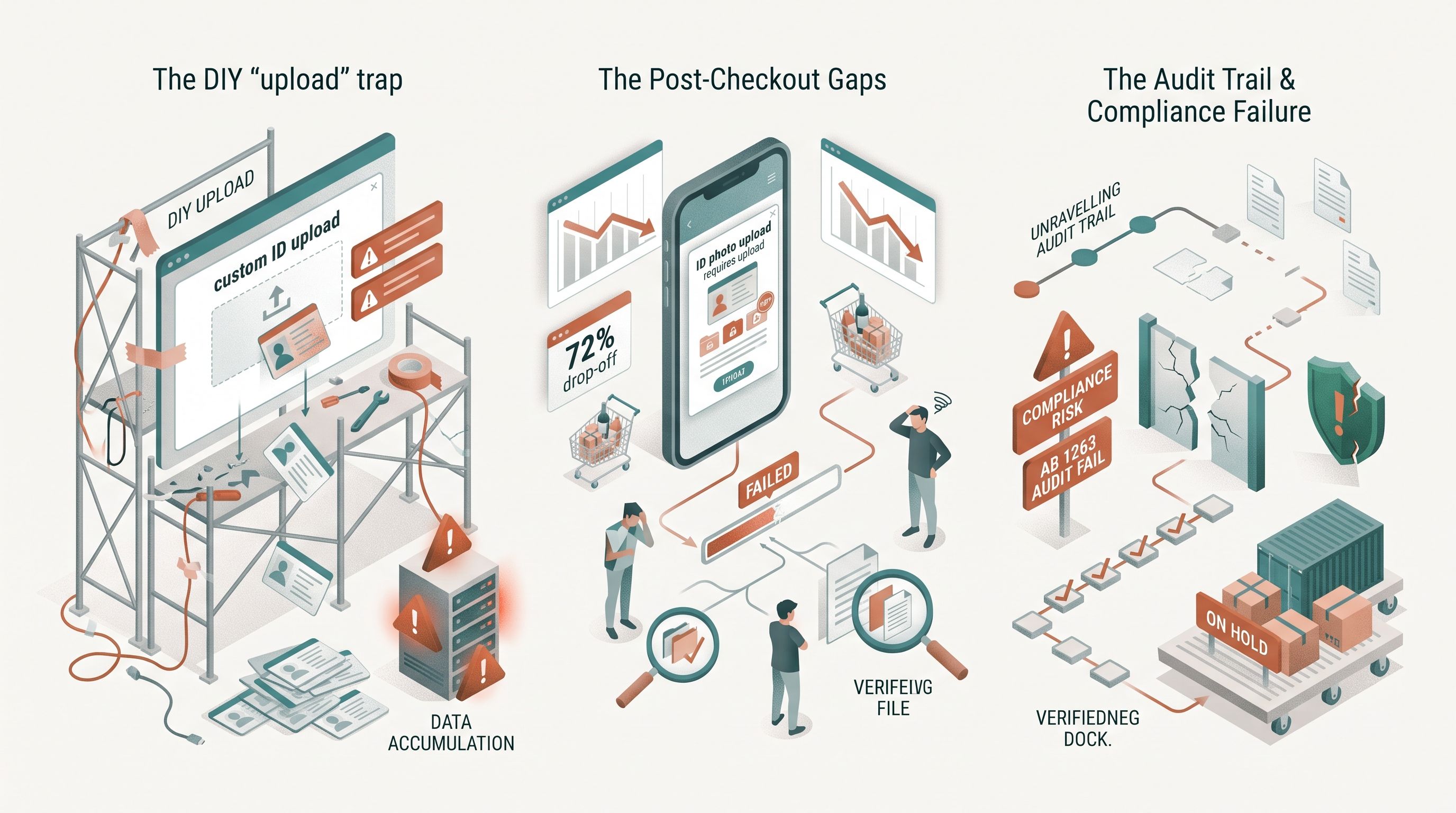
When California’s Assembly Bill 1263 introduced strict verification requirements for online firearm parts and accessories, store owners took two very different paths.
Many defaulted to manual post-order emails. Others—especially tech-savvy merchants with access to an in-house developer or a WooCommerce freelancer—decided to build their own fix.
On paper, the home-brew approach makes total sense. You spin up a custom modal right inside the checkout flow. Before the customer can click "Place Order," a popup asks them to upload a photo of their driver's license and type their initials next to a few legal statements.
It’s fast to build, there’s no third-party SaaS bill, and it keeps the compliance step inside checkout.
The problem is that collecting a file is not the same thing as verifying an identity. While a custom upload modal solves the immediate workflow bottleneck, it quietly introduces four major blind spots around data security, mobile conversions, and audit defensibility.
1. You Just Built a PII Honey Pot on Your Web Server
The biggest risk of a DIY checkout uploader isn't what happens during checkout—it's what happens to the file the second the customer clicks submit.
When a custom WooCommerce or Shopify form accepts a file upload, that image has to live somewhere. Usually, it gets saved straight into your /wp-content/uploads/ folder, attached to the order metadata in your database, or routed into a standard cloud storage bucket.
Suddenly, your eCommerce store isn't just selling parts; it is acting as a repository for unencrypted government-issued driver's licenses.
Under the California Consumer Privacy Act (CCPA), holding raw driver's licenses carries steep statutory liability ($100 to $750 per consumer per incident) if that data is ever exposed. Standard eCommerce servers and WordPress installations are built for merchandising and speed—not hardened biometric and PII vaulting. One outdated plugin, a misconfigured directory permission, or a compromised admin password turns your upload folder into an immediate breach liability.
2. A File Upload Is a Dropbox, Not Verification
A custom upload modal is essentially a digital dropbox: it accepts whatever file the user gives it.
Without automated document checks and live biometric matching behind the scenes, a basic upload form has no way of knowing who is actually on the other side of the screen. A buyer can upload an expired license, an older brother's ID, a blurry photo of their dashboard, or an unrelated image, and the checkout modal will happily let the order go through.
That leaves you with two bad options:
- Option A: You trust the upload blindly and ship the order—meaning you haven't actually verified age or live identity at all.
- Option B: Your customer support team still has to manually open every single uploaded file, zoom in on dates, and cross-reference names before releasing the order—bringing back the exact payroll drag you built the modal to avoid.
3. The Mobile Checkout Bottleneck
Today, roughly two-thirds of firearm parts and accessory browsing happens on a smartphone. While a custom file-upload popup looks clean on a developer's desktop monitor, it often creates a clunky experience on mobile browsers.
Forcing a mobile shopper to tap a basic <input type="file"> button mid-checkout frequently triggers device friction:
- Buyers have to minimize their browser, open their camera app, snap a clear photo of their license, switch back to Safari or Chrome, and hunt through their photo roll to upload it.
- iPhones regularly default to Apple’s
.heicimage format, which many custom web uploaders reject or fail to render properly in admin dashboards. - Slow cellular connections cause large, multi-megabyte smartphone photos to time out right before payment finalizes.
When friction hits at the final step of mobile checkout, buyers don't troubleshoot your upload form—they simply close the tab.
4. Weak Evidentiary Value for Typed Initials
Under AB 1263, capturing buyer attestation is just as important as checking age. Typing two letters into a text box inside a custom popup feels like a signature, but from an evidentiary standpoint, it is thin ice.
If an order, chargeback, or compliance record is ever scrutinized, a plain-text string saved in an order note doesn't prove who typed those initials, whether the document uploaded actually belonged to the live person behind the screen, or that the record hasn't been altered since the order was placed.
Moving From "File Collection" to True Verification
Building a custom modal is a sign that a merchant takes checkout flow seriously. You already recognize that verification belongs inside the purchase experience rather than buried in follow-up emails.
The difference with a dedicated engine like Entrinsia ZeroTrust is what happens under the hood during those 30 seconds:
- Guided Mobile Capture: Instead of a raw file-upload box, buyers get a smooth, mobile-optimized camera flow that handles lighting, glare, and image formatting automatically.
- Automated ID & Liveness Checks: Our system extracts and validates document data, checks expiration and age requirements, and runs a live biometric selfie match to confirm the person buying the item is genuinely the person pictured on the ID.
- Zero PII Storage: Once verified, the raw ID image and biometric selfie are immediately destroyed. Nothing is saved to your web server, your media library, or your database.
- An Immutable Verification Receipt: Your store retains a tamper-evident audit record proving that the ID was examined, the required attestation was executed, and the photo matched the live buyer—giving you strong evidence of due diligence without holding toxic customer data.
You don't need to build and maintain custom compliance infrastructure on top of your storefront. By offloading the heavy lifting to a zero-retention verification flow, you keep your checkout fast, your server clean, and your focus on shipping orders.
Ready to Get Started?
See how ZeroTrust can verify identities in under 30 seconds.
Related Articles

California AB 1263: What Firearms Retailers Need to Know About the New Accessory Law
Assembly Bill 1263 takes effect January 1, 2026, creating new age verification and compliance requirements for selling firearm accessories to California residents. Complete guide for retailers.

Friction After the Click: Why the "Email Your ID" Workflow Is Silently Killing Your California Sales
Emailing customers for ID photos after checkout feels free, but it stalls orders, locks up inventory and invites chargebacks. Part 1 of a series on the hidden cost of manual AB 1263 compliance.

The "$0" Illusion: The Hidden Labor and Data Liability of Manual ID Verification
Manual ID checks cost far more than they appear to: hours of support payroll every month, plus driver licenses piling up in email inboxes. Part 2 of a series on the hidden cost of manual AB 1263 compliance.