
Online Age Verification Methods Compared: A Guide for eCommerce Merchants
Verifying a buyer is an adult shouldn't cost you conversions or turn your server into a data breach waiting to happen. Here is how the six main approaches compare, and how to pick the right one for your store.

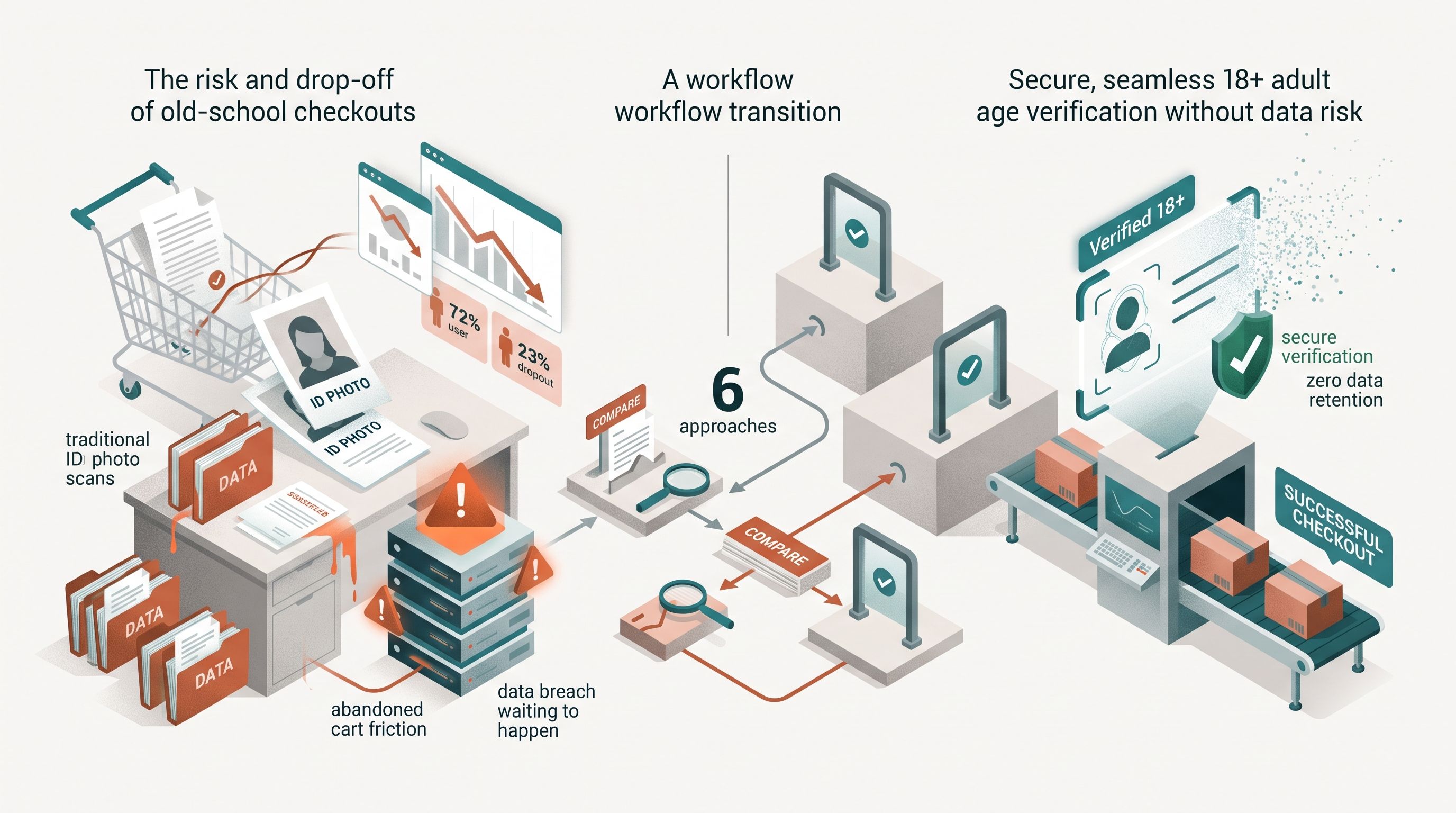
When your store sells age-restricted products—or high-risk items prone to chargebacks and friendly fraud—you eventually face a difficult balancing act: how do you verify that a buyer is an adult without ruining checkout conversions or turning your web server into a data breach liability?
Today, eCommerce merchants generally choose from six distinct approaches to online age verification. Each method makes very different trade-offs between checkout friction, bypass resistance, audit defensibility, and customer privacy.
Here is a practical breakdown of how modern online age verification methods work, where each one falls short, and how to pick the right fit for your store.
At a Glance: Comparing eCommerce Age Verification Methods
| Method | How It Works | Checkout Friction | Bypass Resistance | Data / Privacy Liability |
|---|---|---|---|---|
| 1. Self-Declaration Age Gate | Popup asking user to enter DOB or click "I am 18+" | Very Low | None (easily faked) | None |
| 2. Credit Card Check | Relies on payment card authorization as proof of adulthood | Very Low | Low (prepaid & teen cards pass) | Low |
| 3. Database / SMS Lookup | Cross-references name, address, DOB, or phone carrier data against public/credit records | Low | Moderate (proves data exists, not who is behind the screen) | Moderate (relies on third-party data brokers) |
| 4. Facial Age Estimation | AI estimates age range from a selfie without checking an ID | Low | Moderate (probabilistic near cutoff ages) | Low (if images aren't retained) |
| 5. Manual / DIY ID Upload | Buyer emails an ID photo or uploads a file to a custom checkout modal | High | Low–Moderate (no live selfie match; manual review drag) | Critical (raw IDs stored on your server/inbox) |
| 6. Zero-Retention ID + Liveness | Automated ID scan + live biometric selfie match with immediate PII deletion | Low (under 30s) | High (ties real ID to live buyer) | Minimal (zero raw PII stored) |
1. Self-Declaration Age Gates (DOB Popups & Checkboxes)
The most familiar age gate on the internet is a simple modal asking visitors to enter their birth date or check a box confirming they are of legal age.
- Where it works: Low-risk content gating (like brand websites, media trailers, or general browsing) where you simply want to establish a basic user-experience boundary.
- Where it fails: Self-declaration performs zero actual verification. Any minor can type
01/01/1990and click through in two seconds. Under modern regulations and payment processor rules, an unverified checkbox offers no legal or compliance defense.
2. Credit Card Authorization Checks
Many merchants assume that if a customer enters a valid credit card at checkout, they must be at least 18 years old.
- Where it works: Standard eCommerce transactions where payment authorization is the only requirement.
- Where it fails: Payment networks do not transmit cardholder age to merchants. Minors routinely bypass credit card checks using cash-purchased prepaid Visa/Mastercard gift cards, teen debit cards from youth banking apps, or authorized-user cards issued on a parent's account. (For a deeper breakdown of these loopholes, read our guide on Why Credit Card Age Verification Fails).
3. Database & Mobile Carrier (SMS) Lookups
Database verification compares a customer’s name, billing address, date of birth, or mobile phone number against credit bureau headers, public records, and telecom carrier data in the background.
- Where it works: Industries with specific statutory mandates requiring database checks (such as federal PACT Act rules for tobacco and vape shipments), or high-volume stores looking for a background check without asking for a camera.
- Where it fails:
- False Negatives: Legitimate young adults (ages 18–25) frequently fail database lookups because they have thin credit files, recently moved, or use prepaid mobile plans.
- No Proof of Presence: A database check only confirms that a real adult exists at that name and address—not that the person placing the order is actually that adult rather than a teenager using a parent's details.
4. Facial Age Estimation (Selfie-Only)
Facial age estimation uses computer vision to analyze a live selfie and estimate the user's age bracket without requiring a government ID.
- Where it works: Social platforms, gaming, or digital content where speed matters most and a probabilistic estimate (e.g., confirming a user looks well over 25) is sufficient.
- Where it fails: Because facial estimation relies on statistical probability rather than an exact birth date, it struggles near legal cutoff ages (like 18 or 21). When regulators, insurers, or compliance policies require deterministic proof of exact age and identity, estimation alone still requires falling back to an ID document.
5. Manual Email Collection & DIY Checkout Upload Modals
When regulations tighten, many store owners ask customers to email a photo of their driver's license after checkout, or build a custom file-upload popup directly into WooCommerce or Shopify.
- Where it works: Temporary triage when a store only processes a handful of restricted orders per month.
- Where it fails:
- Conversion & Labor Drag: Asking buyers to email IDs triggers privacy distrust and order cancellations, while manually inspecting uploaded JPEGs eats hours of support payroll every week.
- Severe Data Liability: Saving raw driver's licenses inside your support inbox or
/wp-content/uploads/directory turns your storefront into a target under privacy laws like the CCPA. (See our deep dives on The DIY Modal Trap and Why Storefront Servers Shouldn't Store Customer IDs).
6. Zero-Retention Document + Liveness Verification
Zero-retention verification combines deterministic ID checking with live biometric matching—while removing the data storage risk that makes traditional ID collection so dangerous.
Here is how Entrinsia ZeroTrust handles this workflow inside checkout:
- Deterministic Document Validation: During checkout, the buyer scans their government-issued ID in a guided mobile-friendly flow. Automated checks extract and validate the exact date of birth, expiration status, and document structure.
- Biometric Liveness Match: A quick live selfie confirms that the person behind the screen matches the photo on the ID—preventing minors from using an older sibling's or parent's license.
- Immediate PII Destruction: The moment verification completes, both the ID image and the biometric selfie are permanently purged. Zero sensitive files ever touch your web server, media library, or database.
- Immutable Verification Receipt: Your store receives a tamper-evident audit record proving that the ID was examined, any required statutory attestation was executed, and the photo matched the live buyer.
How to Choose the Right Method for Your Store
When evaluating an age verification solution, ask three questions:
- Do you need an estimate or deterministic proof? If a chargeback, audit, or state law requires proving an exact date of birth and buyer identity, checkboxes, credit cards, and age estimation won't protect you.
- Where will sensitive customer data live? Any workflow that leaves driver's licenses sitting in your email inbox, help desk, or WordPress uploads folder creates unnecessary breach liability.
- Can your customers complete it in seconds on mobile? Two-thirds of eCommerce traffic happens on smartphones. Avoid workflows that force shoppers out of checkout or leave orders sitting on hold waiting for manual review.
By decoupling identity verification from your storefront and eliminating PII retention, you get the highest level of age and identity assurance without slowing down your checkout or taking on toxic data risk.
Ready to Get Started?
See how ZeroTrust can verify identities in under 30 seconds.
Related Articles

California AB 1263: What Firearms Retailers Need to Know About the New Accessory Law
Assembly Bill 1263 takes effect January 1, 2026, creating new age verification and compliance requirements for selling firearm accessories to California residents. Complete guide for retailers.

Friction After the Click: Why the "Email Your ID" Workflow Is Silently Killing Your California Sales
Emailing customers for ID photos after checkout feels free, but it stalls orders, locks up inventory and invites chargebacks. Part 1 of a series on the hidden cost of manual AB 1263 compliance.

The "$0" Illusion: The Hidden Labor and Data Liability of Manual ID Verification
Manual ID checks cost far more than they appear to: hours of support payroll every month, plus driver licenses piling up in email inboxes. Part 2 of a series on the hidden cost of manual AB 1263 compliance.